Integrating AI-Powered Employee Performance Management Software with Slack & Microsoft Teams (USA Focus)
Many have experienced the challenge of an annual performance review. Sitting down with one’s boss, attempting to recall details about the work accomplished in the past year, and struggling to provide adequate answers to questions about one’s performance. This traditional approach is being replaced by performance management software which is being embedded in digital workspaces such as Slack or Microsoft Teams. The software uses AI to identify performance trends and address employee performance risks such as burnout. But is it worth the effort? For those considering the adoption of this new approach to performance management within the United States, this article is intended to highlight the mechanics of this approach, the implementation considerations, and the regulatory requirements.
Table of Contents
Why US Companies Are Rethinking Employee Performance Management Software in 2026
Annual reviews are dying, and good riddance. They’re expensive, favor recent actions over older ones, and people don’t trust them.
Shift from Annual Reviews to Continuous Feedback
A SHRM study found that 94% of employees would prefer to receive more frequent, informal feedback from their supervisors than the standard once-a-year review. And when compared to companies using annual reviews, organizations that had switched to a continuous feedback found 14.9% lower turnover and 85% of their employees became more self-directed. In other words, a different approach to performance management could have nearly as much impact on retention as a significant change to compensation.
This realization has caused many performance management software companies to embrace continuous feedback. Companies like Lattice, 15Five, Culture Amp, and Workday have all made the shift.
The Role of AI in Modern Performance Management Tools
There is one problem with continuous feedback, however. Because of the volume of data, it can be overwhelming for a manager to keep tabs on. This is where artificial intelligence can prove extremely useful by being able to summarize, organize, and highlight the most important information. The rise of AI has been one of the biggest shifts in performance management software over the last few years.
Gartner and Deloitte have both reported that the spending on performance management software is being driven much more by AI-powered applications than traditional, survey-based tools.
How AI-Powered Employee Performance Management Software Works Inside Slack & Teams
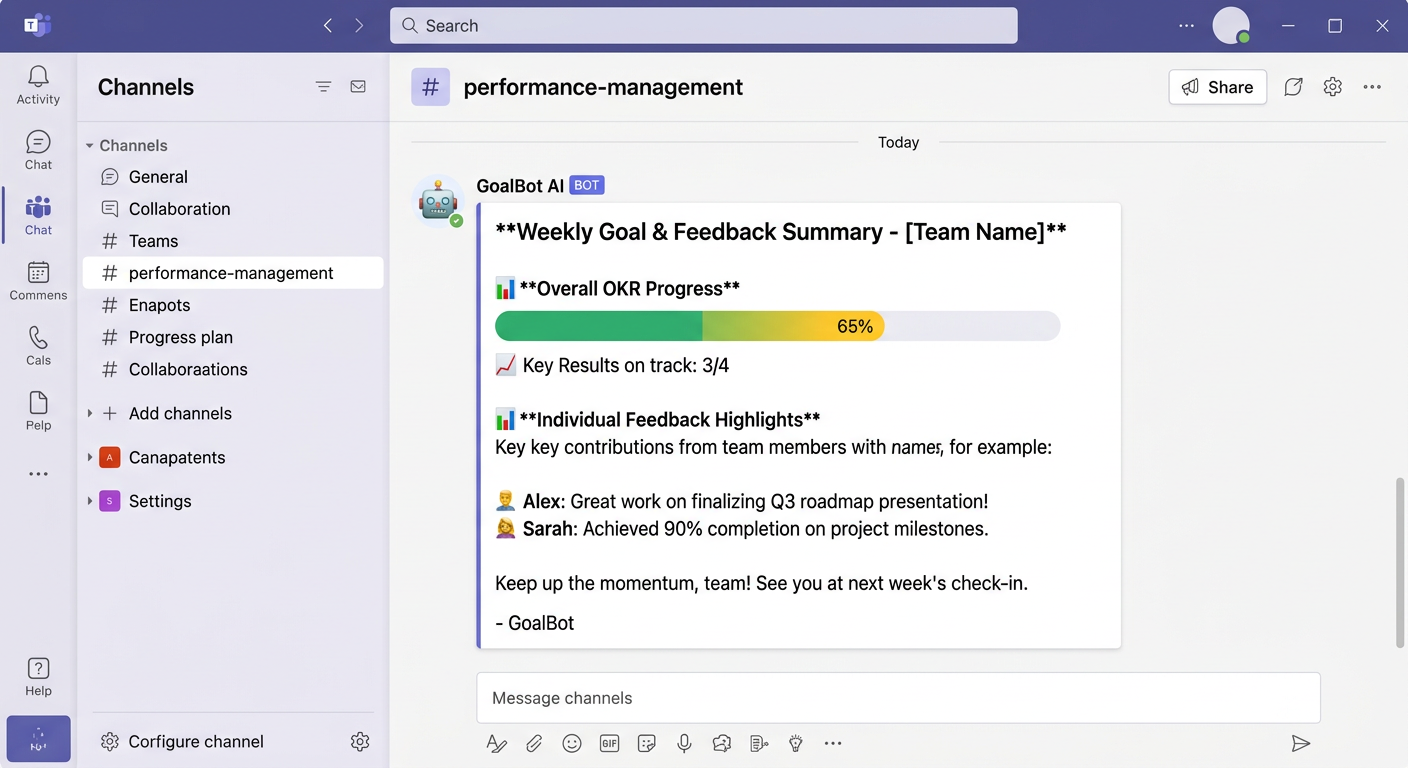
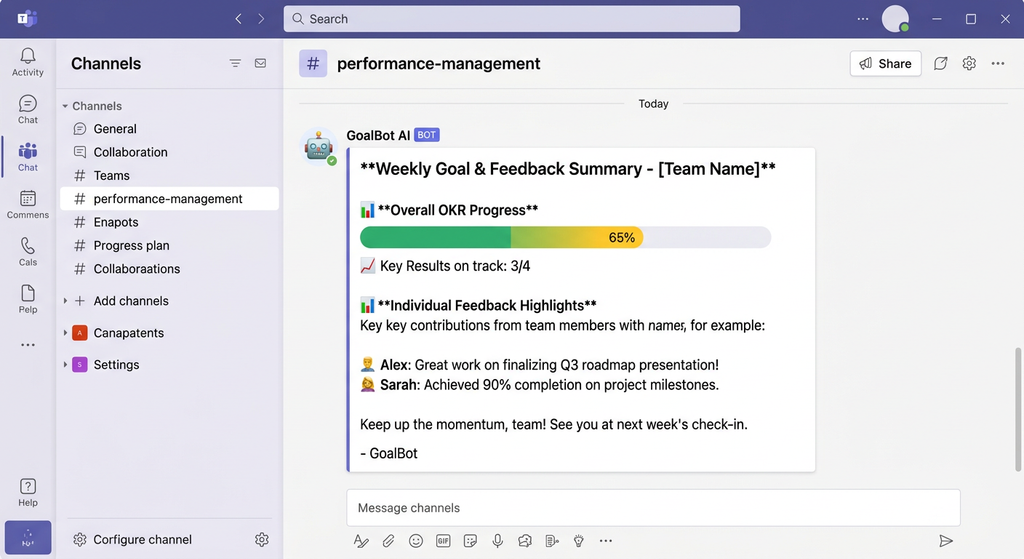
Imagine your manager gets a Slack DM on Friday afternoon that says “Sarah completed 4 of 5 weekly goals. Her sentiment score decreased 12% this week – consider a 1:1.” That’s the integration doing its job.
Real-Time Feedback and Recognition Bots
Most offer integrations with Slack and Microsoft Teams in the form of bots and slash commands. Here are some examples:
/kudos @teammate – recognizes a peer and links it to a competency framework
/checkin – runs a quick pulse survey in the channel
Automated weekly win reports that get posted to a team channel every Friday
The last one is important since it reduces friction. If an employee has to go to a different application to give feedback they will likely opt out. By meeting them where they are (in Slack/Teams) you’ll see higher engagement.
AI Generated Performance Insights and Recommendations
The AI component often covers:
Sentiment analysis of check-in responses (or other text) to identify if someone is frustrated, disengaged, burned out
Forecasting to see if a goal is on track to be met
Nudge managers when it’s been 3 weeks since their last 1:1 with an employee
It’s all setup to augment the manager, not replace conversations.
Goal Tracking (OKRs) Without Leaving Teams
Ally.io (acquired by Microsoft) and Lattice’s OKR tracking tool both have embedded tabs within Microsoft Teams that show goal progress. This means you can update the percent complete on a key result without switching applications.
Step-by-Step: Integrating Your Performance Platform with Slack and Microsoft Teams
Let’s discuss some practical implementation details. Technical IT teams that read this far are probably looking for specific information about how to actually perform the integration.
Technical Implementation Requirements (APIs, SSO, and Webhooks)
Both platforms have well-established developer ecosystems:
Slack apps are created and managed in the Slack API developer portal through OAuth scopes, Events API, and Slash Commands
Microsoft Teams apps are built and deployed using the Teams SDK and Microsoft Graph API, often with additional configuration in the Microsoft 365 admin center for enterprise-grade deployment
For most employee performance management software vendors, integration is available as a pre-built application that can be turned on from the admin panel of their platform. You might need the following to configure the connection:
Administrative privileges in your Slack workspace or Microsoft Teams organization
Single Sign-On (SSO) configuration through Okta, Azure AD, or Google Workspace
Permissions to create webhooks for event notifications (when new goals are created, feedback is given, etc.)
Slack-Native vs. Teams-Native Deployment Options
Below is a comparison to help you pick the technology stack for your integration project:
| Factor | Slack | Microsoft Teams |
|---|---|---|
| Common in | Tech, startups, agencies | Enterprises, government, healthcare |
| Native app depth | Strong slash-command ecosystem | Deep Microsoft 365 / Graph integration |
| Compliance tooling | Third-party heavy | Built-in Purview compliance features |
| Best for | Fast-moving, informal cultures | Regulated, hierarchical organizations |
If your company already uses Microsoft 365, connecting performance software with Teams eliminates much of the friction around identity management since you’re already using Azure AD.
Data Security and Compliance Considerations
Pre-launch considerations for IT and HR to align on:
- Data residency (U.S. based storage of employee sentiment data?)
- SOC 2 Type II certification of the performance vendor
- Access controls by role to limit visibility of sensitive information
- Retention rules in line with your compliance management software
This is where the intersection of performance management and compliance software becomes critically important – a discussion that often gets deprioritized until an outside audit raises concerns.
Beyond Performance: Compliance Management Software, GRC, and Small Business Realities
There’s one important detail that most performance-management articles miss, which is that the moment you start gathering continuous employee data of any kind (from sentiment to goals to one-on-ones), you’ve created a compliance surface area, whether you intend to or not
How Does Compliance Management Software Relate to Performance?
Compliance management software is used to track policy acknowledgments, training completion, and regulatory requirements (EEOC recordkeeping or state-specific pay transparency laws, for example). The data from performance platforms is often funneled into these tools, so that HR can demonstrate that any given feedback or disciplinary conversation was properly documented, if an auditor ever comes looking.
Automated Compliance Management Tools for Performance
If you don’t have a dedicated compliance officer, then you might want to look into some automated compliance management tools – they can automatically flag performance reviews that don’t have proper sign-offs remind managers via the same channel (Slack/Teams) where they got the performance data in the first place produce audit-ready timelines of manager-employee conversations.
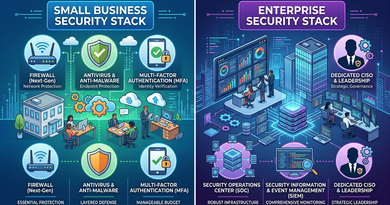
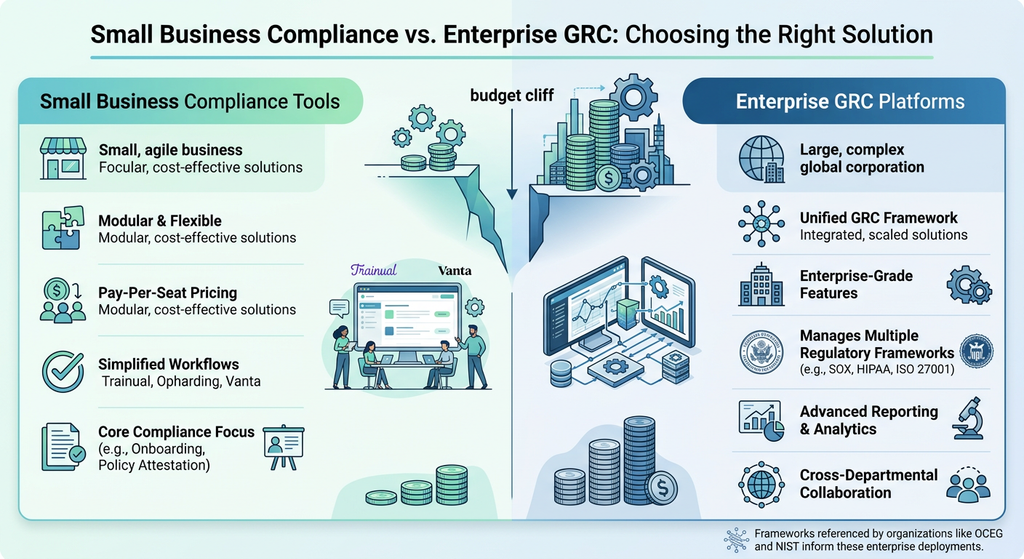
Compliance Management Software for Small Business vs. GRC Software for Compliance
The difference between compliance management software for small business and mid-sized enterprises and GRC software for global enterprises is typically the breadth and depth of regulatory requirements (EEOC, SOX, HIPAA, ISO 27001, etc.) that the tool is supposed to help you with. The frameworks published by the Organization for Compliance and Ethics Governance (OCEG) or the National Institute of Standards and Technology (NIST) often form the basis for how GRC software is structured.
Most 40-person companies don’t need enterprise-grade GRC software, but they do need to think about how their performance-management data would hold up in the face of an unexpected termination audit.
Best Practices, Pitfalls, and ROI
Change Management Tips That Actually Work
Pilot the software with one team first. Refrain from deploying an enterprise-wide initiative upfront
Provide managers with a cheat sheet of slash commands. Without such a reference, adoption will stagnate.
Publicly recognize one manager who demonstrated early success with the tool.
Avoiding Notification Fatigue
This, by far, is the most common concern reported by IT directors. To alleviate their fears, set the AI nudges to arrive no more than once per week, and preferably allow employees to silence non-essential notifications. If the Slack channel becomes inundated with prompts, users are likely to mute the bot entirely, which defeats the purpose of the exercise.
Measuring ROI
Beyond simple qualitative improvements, track the following metrics on a quarterly basis to determine whether the initiative is delivering tangible value:
The time it takes for an employee to provide feedback on a given issue
(Has the figure decreased compared to the previous quarter?)
Turnover rate among employees who engaged with continuous improvement initiatives
versus the average attrition rate for the business
1:1 meeting schedule adherence rate
(Did the AI coaching prompts actually alter manager behavior patterns?)
If no meaningful improvements emerge within six months of implementation, it is safe to conclude that the ROI is negative.
Conclusion
The introduction of an AI-powered performance management system within Slack and Microsoft Teams represents a significant opportunity to optimize feedback scheduling, goal-setting, and employee recognition systems in 2026. The technology, in and of itself, is not revolutionary, but its application within these messaging platforms enables it to serve as a convenient reminder mechanism that helps prevent critical feedback from slipping through the cracks of an employee’s busy schedule. With that said,
do not treat this initiative as an exclusively Human Resources (HR) matter. Involving the IT department during the initial phase of the initiative is crucial to establishing the appropriate security settings and permissions.
Frequently Asked Questions
Is such software applicable for a small team of fewer than 50 people?
It depends. Attracting an AI application to manage a small team could be beneficial, but it is important to adopt the right tools for the task at hand. For an organization with a headcount below 50, reviewing an AI-assisted performance management system that includes Slack or Microsoft Teams integration to facilitate peer recognition and feedback is probably not worth the investment. However, there are several applications, including 15Five and Lattice, that offer an entry-level plan that utilizes bots.
Does performance management software offer any additional compliance risks when integrated with Slack or Microsoft Teams?
Not necessarily, but these complications can arise if data governance regulations are not followed. It is advisable to supplement such software with a separate compliance management application or set standardized data retention and accessibility protocols within the performance management software itself.
What does the AI within the performance management software actually do? Does it replace a manager’s input?
In most cases, AI within performance management software serves to analyze data and detect patterns. Therefore, such software can be utilized to detect early signs of employee dissatisfaction or proactively remind employees and managers to schedule regular check-ins. Crucially, no AI model possesses the capacity to directly influence compensation, promotions, demotions, and terminations, which are strictly managerial functions.
What is the difference between compliance software and enterprise governance software?
Compliance software and enterprise governance software (EGC) are fundamentally different in terms of purpose and scope. Generally speaking, EGC deals with multilateral regulations, whereas compliance software is designed to analyze and interpret specific regulations, i.e., there are more specialized compliance software applications for quality control and employee training. Additionally, enterprise governance software tends to be much more complicated and is typically only used by large corporations with a dedicated legal department.
Can implementing such software actually slow down the productivity of our team?
When introducing a change initiative, there is bound to be a learning curve. This is especially true for older generations of employees who are not as familiar with digital technologies. A compliance software implementation will inevitably disrupt an organization’s status quo. However, these changes are only detrimental if the initiative is poorly communicated. Furthermore, conducting a pilot project with a single department is significantly less disruptive than opening up the initiative to the entire enterprise at once.