
Management Reporting Software: Pricing, Features & ROI Compared
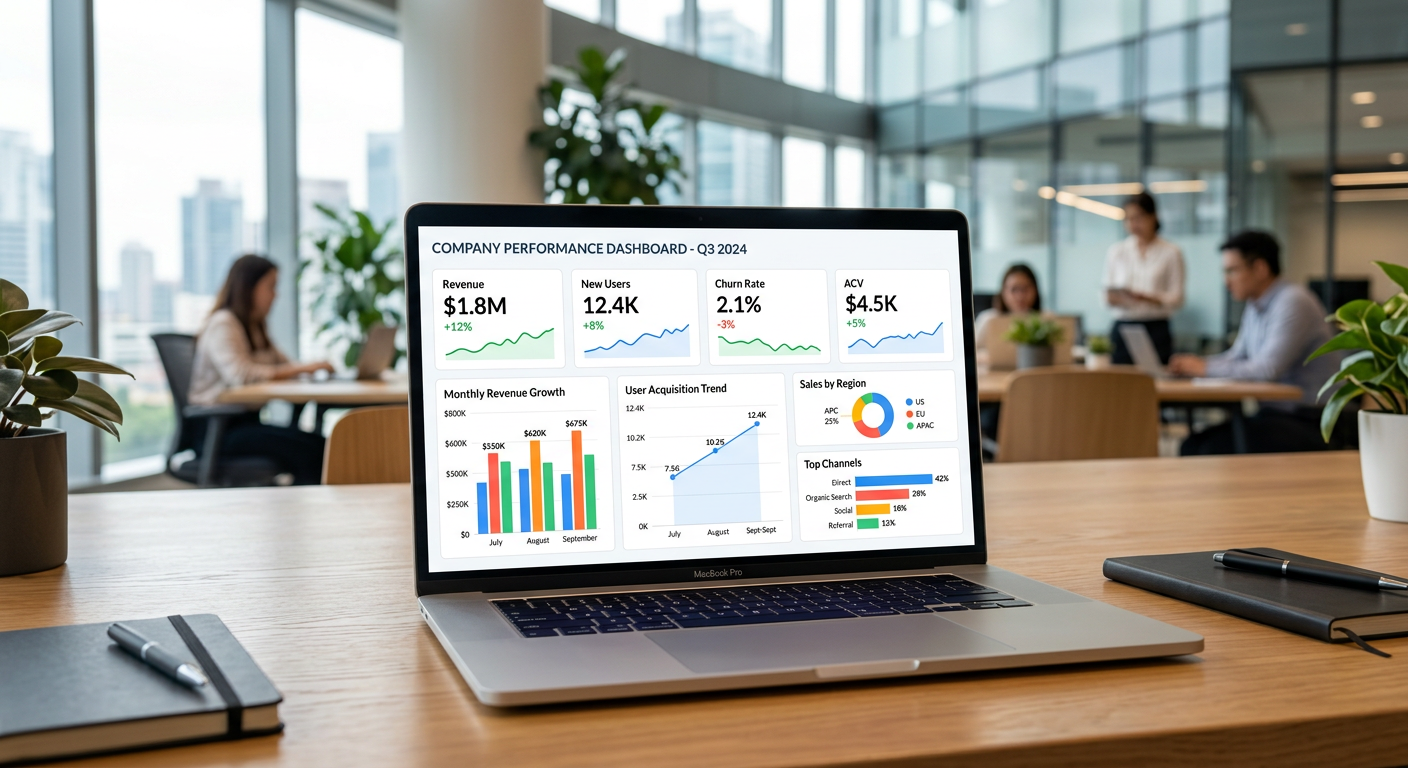
Perhaps, you have once analyzed the spreadsheet at 11 p.m. on a Friday, desperately trying to understand why last week’s numbers do not add up. If yes, then you are at the right place and this guide is for you. The management reporting software has become a necessary tool for many businesses that struggle with an endless stream of reports and precious little time to analyze them.
This article will discuss management reporting software: its typical functionality, costs (including a wide range of options), and whether it is worth the investment. It will examine this type of financial reporting to highlight its value for different organizations, big and small. For a company that employs five people and one with five hundred, management reporting software has different advantages and drawbacks. This article will provide you an in-depth view at both sides.
Table of Contents
What Is Management Reporting Software (And Why Should You Care)
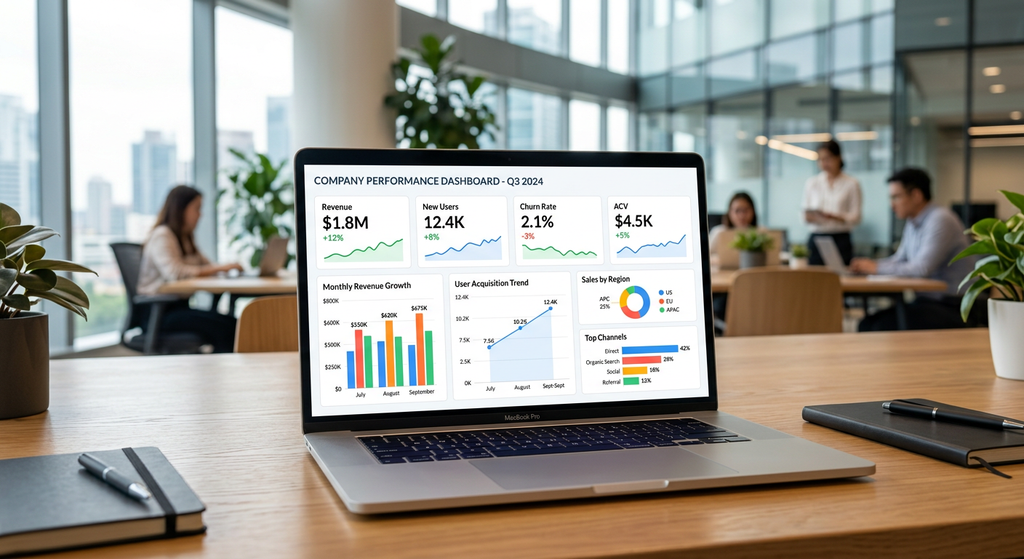
At its core, management reporting software takes data from a variety of different sources (ERP, CRM, accounting systems, etc.) and turns it into easily accessible, understandable reports that can be used to make data-driven decisions. In short, it transforms numbers-heavy data into a language understandable by your management team.
That said, management reporting is no longer a luxury but a necessity. According to McKinsey’s research on data-driven companies, organizations that make extensive use of data and analytics in decision-making have a clear edge over their competitors in terms of profitability.
The tried-and-true method of management reporting — Excel sheets and hours upon hours of number-crunching — is no longer viable. Modern management reporting tools, such as Board, Workday Adaptive Planning, Vena Solutions, and Prophix, replace tedious manual work with an automated reporting solution.
Key Features That Make Reporting Tools Stand Out From the Herd
Not all reporting tools are created equal. While a quality product can change your relationship with data and reporting, a poorly made software will do the opposite. With that in mind, here are the features that separate the wheat from the chaff.
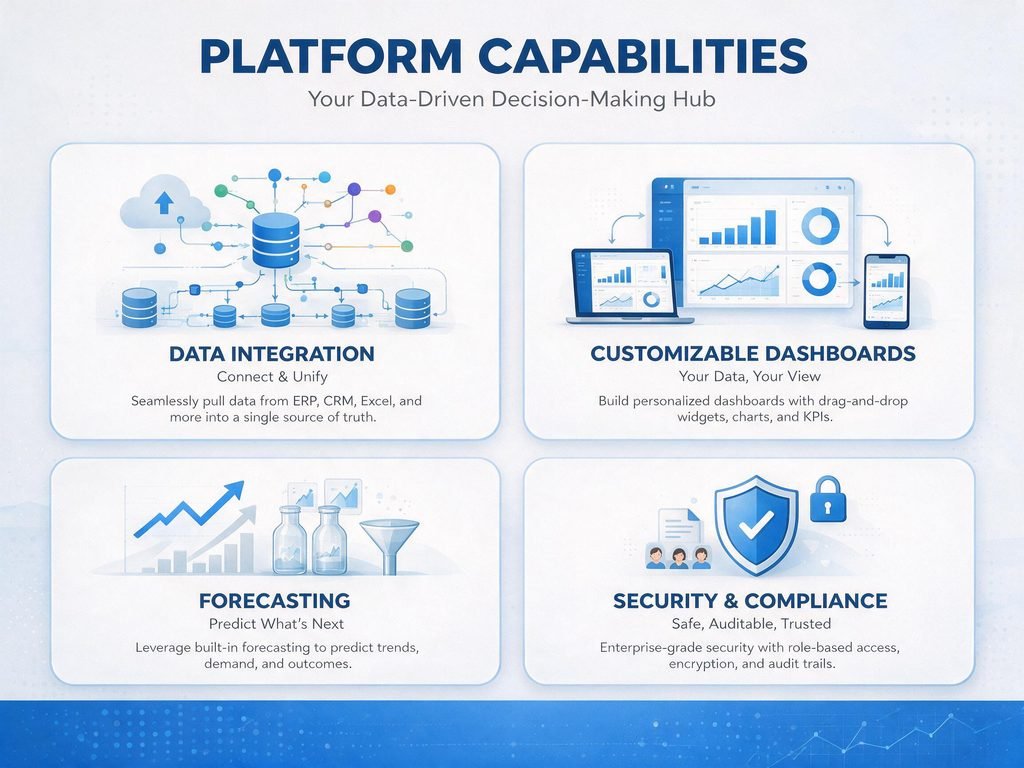
Data Aggregation & Automation
The single most important feature of any reporting tool is the ability to pull data from a variety of sources and compile it into a single dashboard. Tools that offer extensive out-of-the-box integration with your existing business software (QuickBooks, NetSuite, SAP, etc.) will have a clear edge over those that don’t.
Some of the advantages of data aggregation and automation include
- No manual data entry
- Automatic, real-time report generation
- Single source of truth reporting
If a vendor requires extensive customization to integrate reporting software with your current tools, that’s a sign of a low-quality product or service.
Customizable Dashboards & Visualization
A good reporting tool should have a self-service, intuitive dashboard that doesn’t require an advanced math degree to decipher. The software should allow for
Dragging and dropping reports
Drill-down analysis
Editing and visualization on mobile devices
Scenario Analysis, Forecasting, and Budgeting
A good reporting tool allows budgeting, forecasting, and scenario analysis to take place directly within the software. That way, you can make changes to budgets and watch the results unfold in real-time, without having to consult external tools or analysts. The tool should make it easy to adjust any figures and analyze the impact they have had on different metrics.
Security and Compliance
Tools for finance and compliance reporting make data security and compliance a priority. Some vendors specialize in financial reporting and can offer SOC 2 Type II compliance and role-based permissions. It’s also wise to inquire about certifications relevant to your industry (HIPAA, SOX, etc.).
Management Reporting Software: Cost Breakdown and Budget Considerations
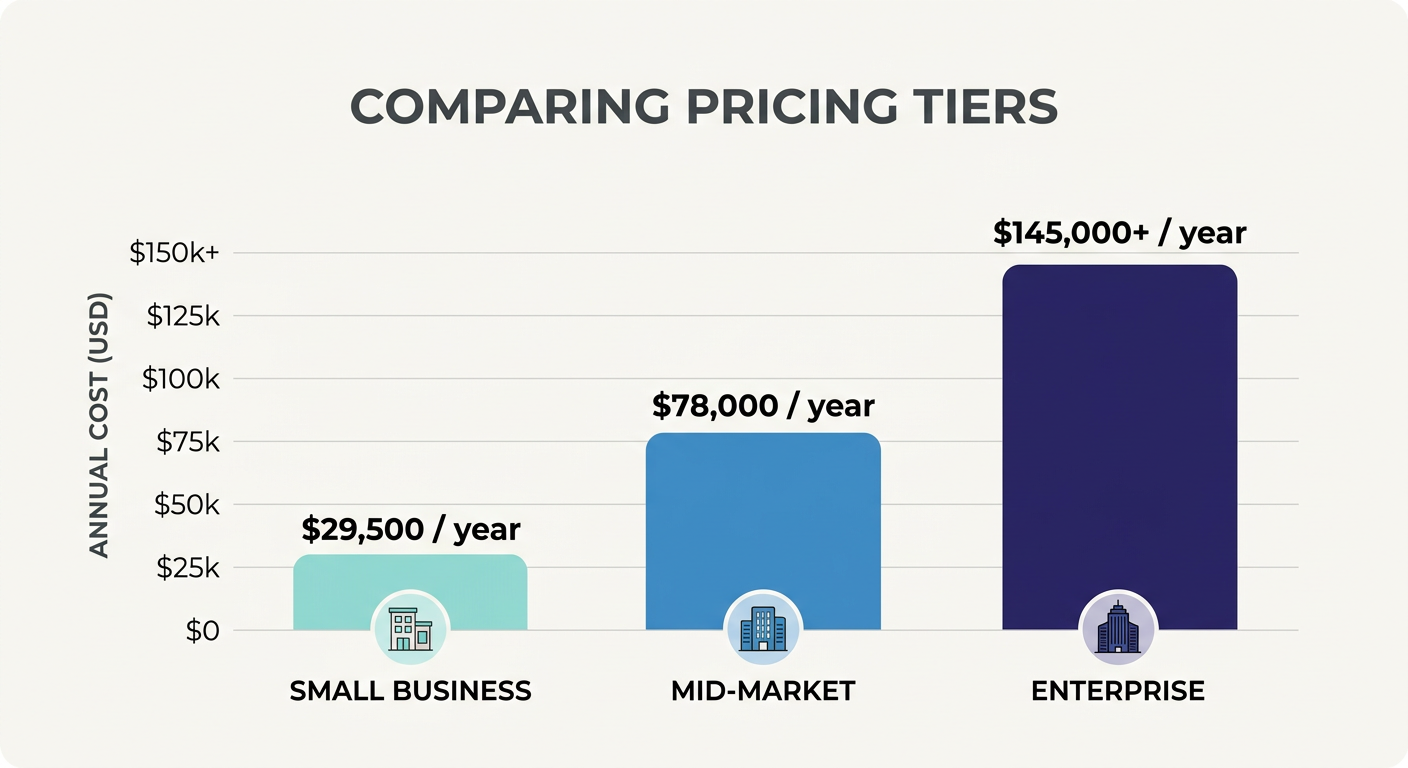
Software costs can be highly variable depending on the provider and the specific solution. There are some universal truths regarding the cost of reporting software, however, which can help you build a realistic budget and plan for future expenses.
Entry-Level Tools (Ideal for Small Business)
Fathom , Klipfolio , and similar reporting tools cost between $50 and $300 per month and offer an ideal entry-level option for small businesses looking to simplify their reporting and get away from Excel.
Mid-Sized Market Tools (Perfect for Scaling Businesses)
Solutions like Vena and Jirav typically feature a monthly subscription model, costing between $500 and $3,000+ per month, depending on the selected modules and the number of users. These tools are typically best for mid-size businesses looking to scale their operations.
Enterprise Tools (For Big Organizations with Deep Pockets)
Products like Workday Adaptive Planning, Anaplan, and OneStream typically start at $20,000+ per year, with costs frequently exceeding six figures due to implementation and customization costs. These tools typically require an in-depth implementation process and a dedicated customer success manager to assist with onboarding.
Other Important Cost Considerations
When it comes to reporting tools, budget considerations shouldn’t be limited to the cost of the software itself. Some of the other expenses to factor in include
Implementation and onboarding costs (typically 20-50% of the cost of the software itself)
Costs associated with additional features or users
Potential costs connected to data migration from legacy systems or external services
In practice, software vendors rarely offer a detailed breakdown of the costs involved, but most will provide one if you ask for it. A good rule of thumb is to request a full-scope budget report, which will highlight all of the costs you’ll be responsible for during the first year of using the product.
Does Management Reporting Software Justify Its Cost? Here’s How to Calculate ROI
While management reporting tools are undeniably helpful, it’s worth considering whether they have a realistic chance to justify their costs. In most cases, they do, but the reason for adopting new reporting software has to be compelling enough to warrant the expense.
Time Savings (The Single Largest Advantage)
Most finance professionals we spoke with estimated that they spent anywhere between 10 and 20 hours per month on reporting-related tasks. That’s a significant amount of time and effort, especially when considering the risks involved. Even if such a tool only reduced the time spent on reporting by 50%, it would justify its cost with ease, especially when you factor in the hourly rate of finance personnel. Assuming a conservative hourly rate of $70,000/year (roughly $35, a single person who spends 10 hours per month on reporting would save roughly $3,500 per year by adopting reporting software. That’s just one person — imagine the savings being calculated for an entire finance department!
Error Reduction and Enhanced Decision-Making
Spreadsheets and manual calculations are notoriously error-prone, and a single miscalculation can lead to significantly worse outcomes for the business. Automated software eliminates many of those errors, reducing the possibility of human error and ensuring that the data used for decision-making is accurate.
A Simple ROI Calculation for Management Reporting Software Using Realistic Assumptions
There’s a very simple way to calculate ROI for management reporting software. Assuming you reduce the time and cost spent on reporting by a certain amount (A), you can calculate ROI using the following formula:
ROI (%) = [(Total Annual Savings − Total Annual Cost) / Total Annual Cost] × 100
An example calculation for this formula would be as follows:
If the value of an automated solution is $12,000/year and saves your team $30,000 (time and cost saved), the ROI calculation would look like this:
(($30,000 − $12,000) / $12,000) × 100 = 150% ROI
That’s a very healthy ROI figure, and it’s well within the reach of most mid-size businesses as soon as they adopt reporting automation (between three and six months after implementation).
Top Management Reporting Software Compared (Quick Snapshot)
| Tool | Best For | Starting Price | Standout Feature |
|---|---|---|---|
| Fathom | Small businesses | ~$44/month | Simple, visual reporting |
| Vena | Mid-market finance teams | ~$500+/month | Excel-native interface |
| Jirav | Growing SMBs | ~$1,000+/month | Integrated forecasting |
| Workday Adaptive Planning | Enterprises | Custom (often $20K+/yr) | Deep scalability |
| OneStream | Large enterprises | Custom quote | Unified CPM platform |
How to Choose the Right Tool for Your Business
While evaluating potential options, consider the following questions in addition to reviewing demos and requesting proposals. Does the final solution support the projected number of end-users and is the cost reasonable Can it be easily integrated with the current infrastructure within the next six months.
Will it require forecasting capabilities, or are historical reports sufficient Finally, establishing realistic expectations about the implementation timeline is critical. A simple request for a sandbox or trial version can help you determine if the solution is worthy of an enterprise-level investment. If a vendor seems hesitant about your intent to test the product, that may be a red flag.
Conclusion
The market for management reporting software is growing rapidly as organizations recognize its importance in streamlining operations and decision-making. However, there is no one-size-fits-all solution, as the final choice will depend on the expected scope of use and growth projections for the next 3-5 years.
The good news is that most providers allow trials, so it is possible to create a shortlist of realistic options and run sample analyses before committing to a full-scale purchase. While costs can vary significantly across providers, ranging from less than $100 per month to six figures per year, understanding the value proposition is essential. After defining the problem the software is supposed to solve, creating a cost-benefit analysis, and determining the solution’s value in a specific context, it will be easier to make a final choice.
Frequently Asked Questions
1. What is the difference between management reporting software and business intelligence tools?
Management reporting software is used for budget and forecast management and covers financial reporting and analysis. At the same time, business intelligence solutions are broader, covering all areas of data analysis, including reporting, visualization, and analytics. Both types of tools can be used simultaneously, as the management reporting software is often integrated with BI platforms such as Tableau or Power BI.
2. What is the typical implementation timeline for such software?
It varies significantly depending on the selected vendor and the solution’s complexity. On average, small business tools have a quick implementation process that can take 7-10 days. Mid-market software usually requires 4-8 weeks, and enterprise-level solutions need a minimum of 3-6 months.
3. Can small businesses benefit from management reporting software?
On the contrary, small businesses rarely see any ROI from this type of software. In most cases, such tools are intended for organizations that have moved away from using spreadsheets due to increased complexity and higher demands for reporting accuracy.
4. Are there any concerns regarding the security of such software?
All reputable vendors should have appropriate security measures in place, including encryption of data in transit and at rest. It is recommended to double-check security-related information and confirm that the vendor has received SOC 2 Type II compliance and other relevant accreditations.
5. How can I verify that I am not overpaying for the tool?
Paying for management reporting software should be justified by the time saved through automation. It is essential to create a realistic budget and understand the expected costs, including implementation, consulting services, and per-seat licensing costs. Vendors’ solutions have varying levels of functionality, so it is essential to ensure that the selected solution has the necessary features without extra expenses. If the final number does not justify the expected ROI, it is possible to renegotiate the price or ask for a better package.